Introduction
TTD VIP Darshan ₹10,000 booking online in 2026 is available through the Srivani Trust scheme, subject to TTD rules and ticket availability. Learn how to make the donation, book your Darshan ticket online, and understand the eligibility, booking timings, and important guidelines for your Tirumala visit.
01
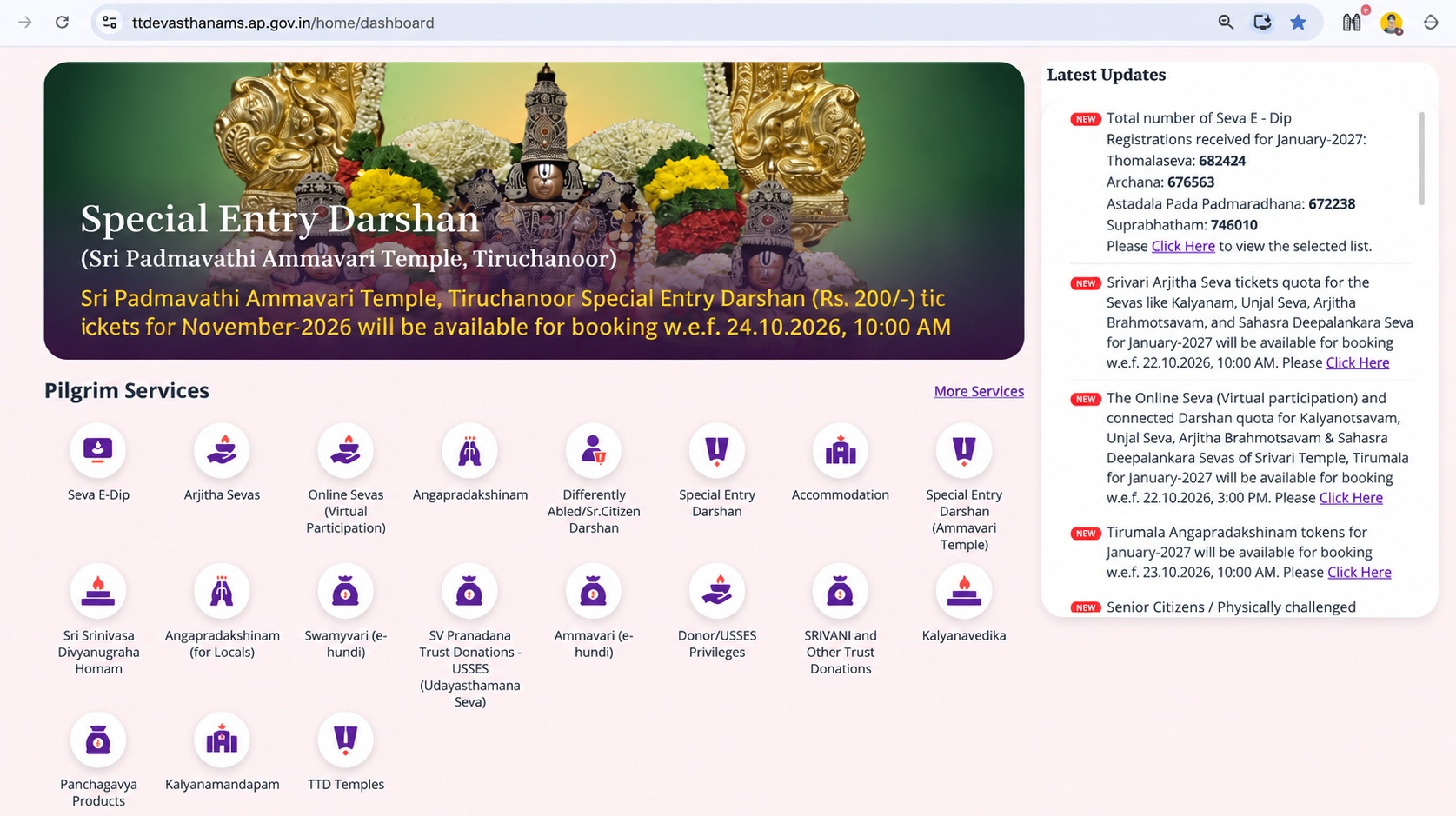
Open the TTD Portal
Visit the
official TTD website
and click on
Pilgrim Services
to begin the booking process.
02
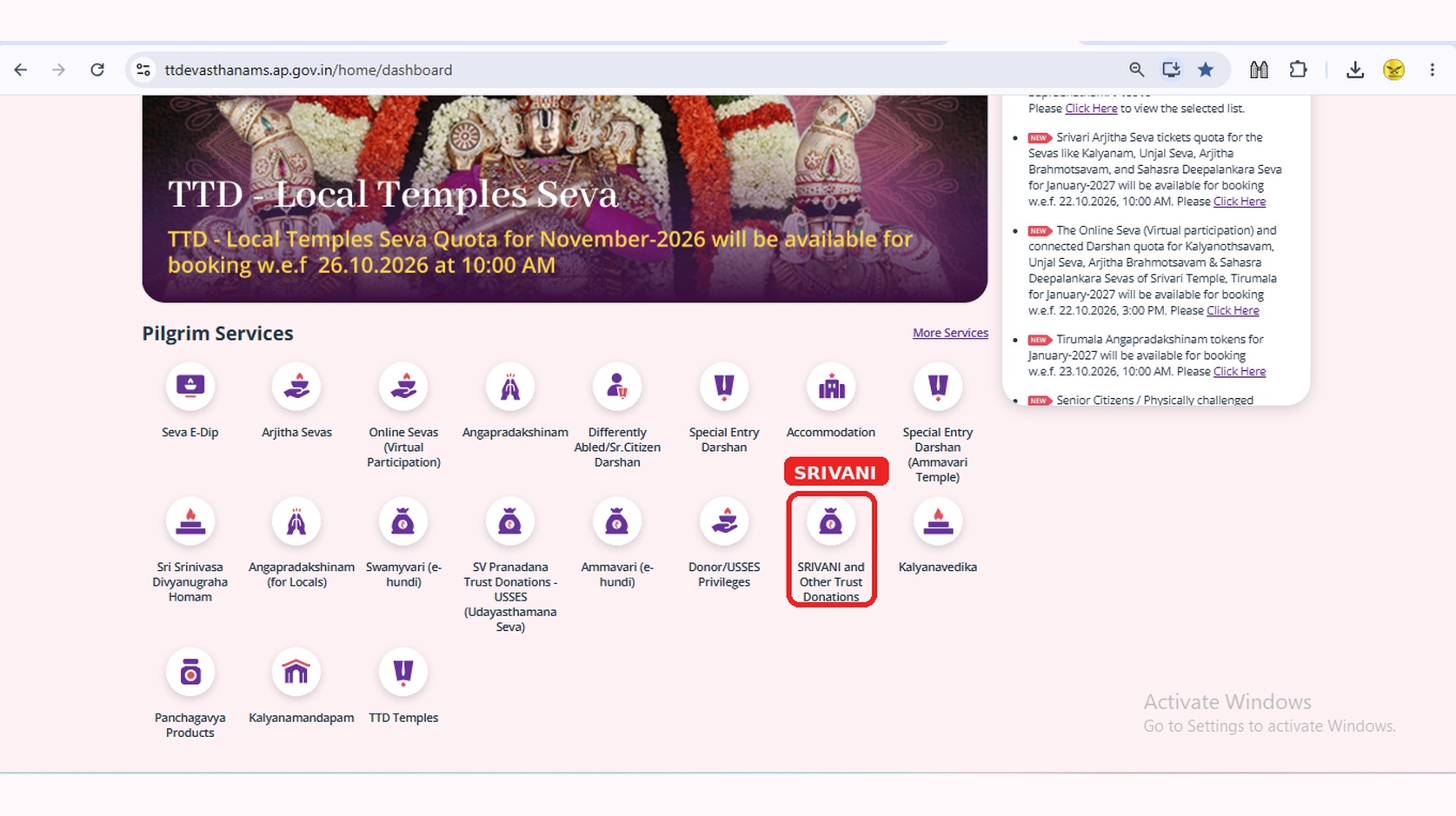
Select SRIVANI Services
Choose SRIVANI and Other Trust Donations from the available services to proceed with the SRIVANI Darshan booking process.
03
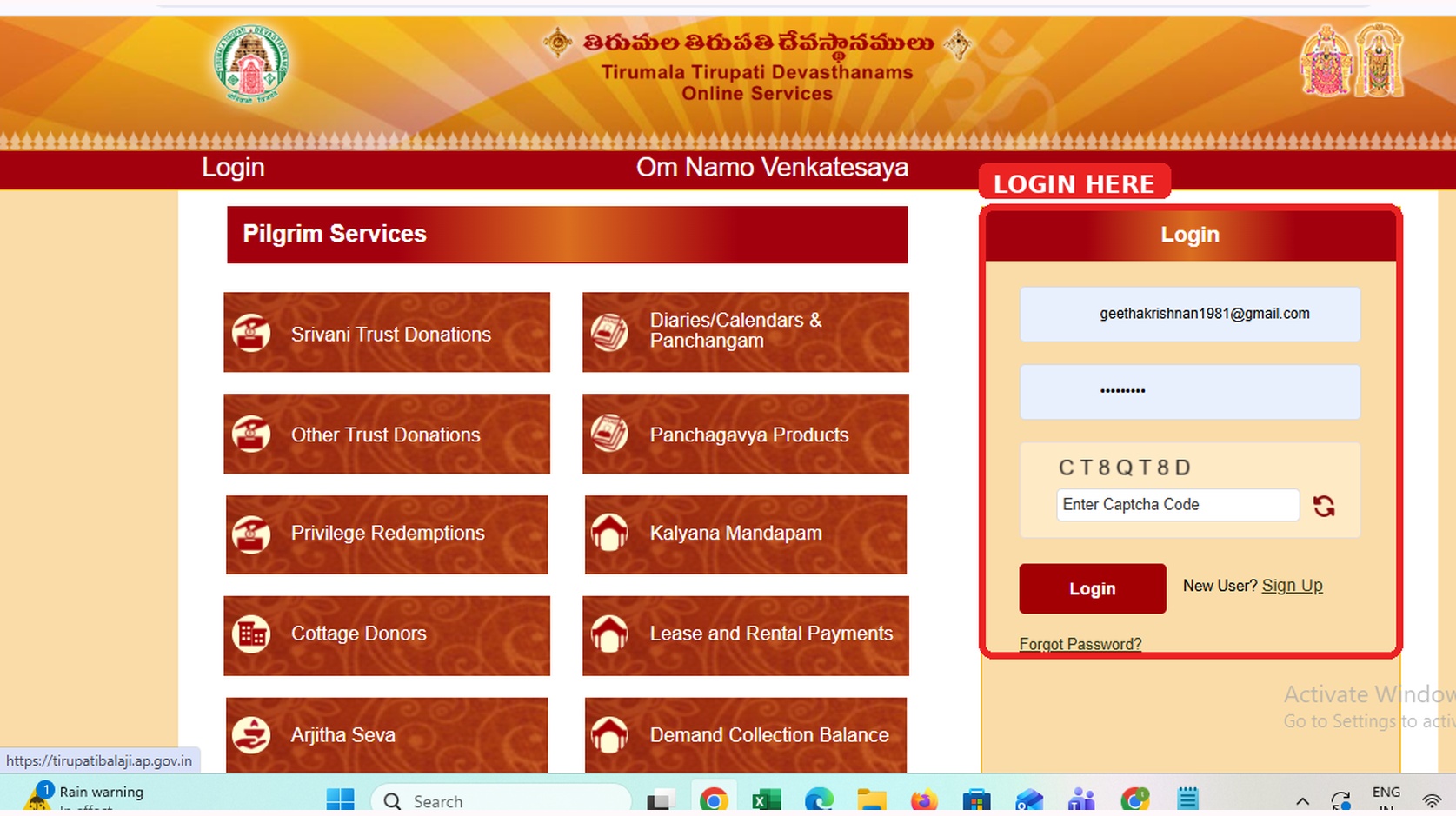
Login or Register
Log in to your existing TTD account using your registered credentials, or
register as a new user
if you do not already have an account. Follow the on-screen instructions to continue.
04
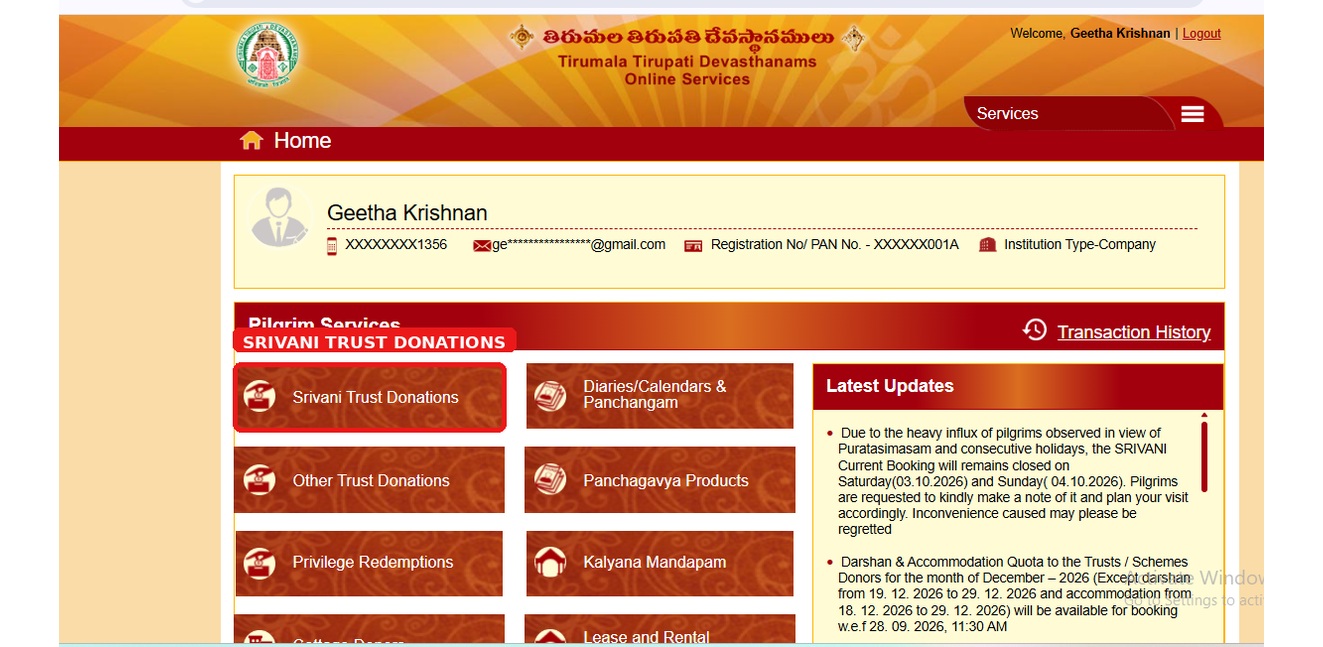
Choose Donation
Select SRIVANI Trust Donation from the available options, then click Continue to Donate to proceed to the next step.
05
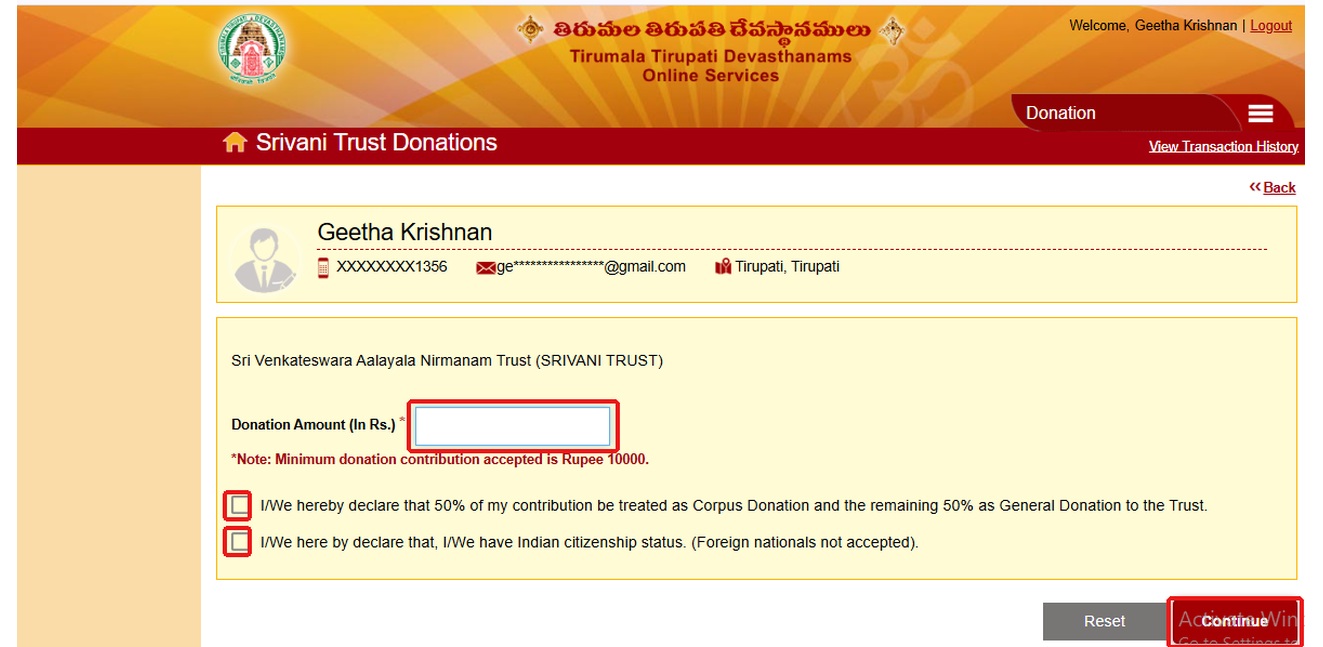
Enter the Donation Amount
Enter ₹10,000 per person based on the number of devotees included in your booking. Review the details and accept the terms and conditions before proceeding to the next step.
06
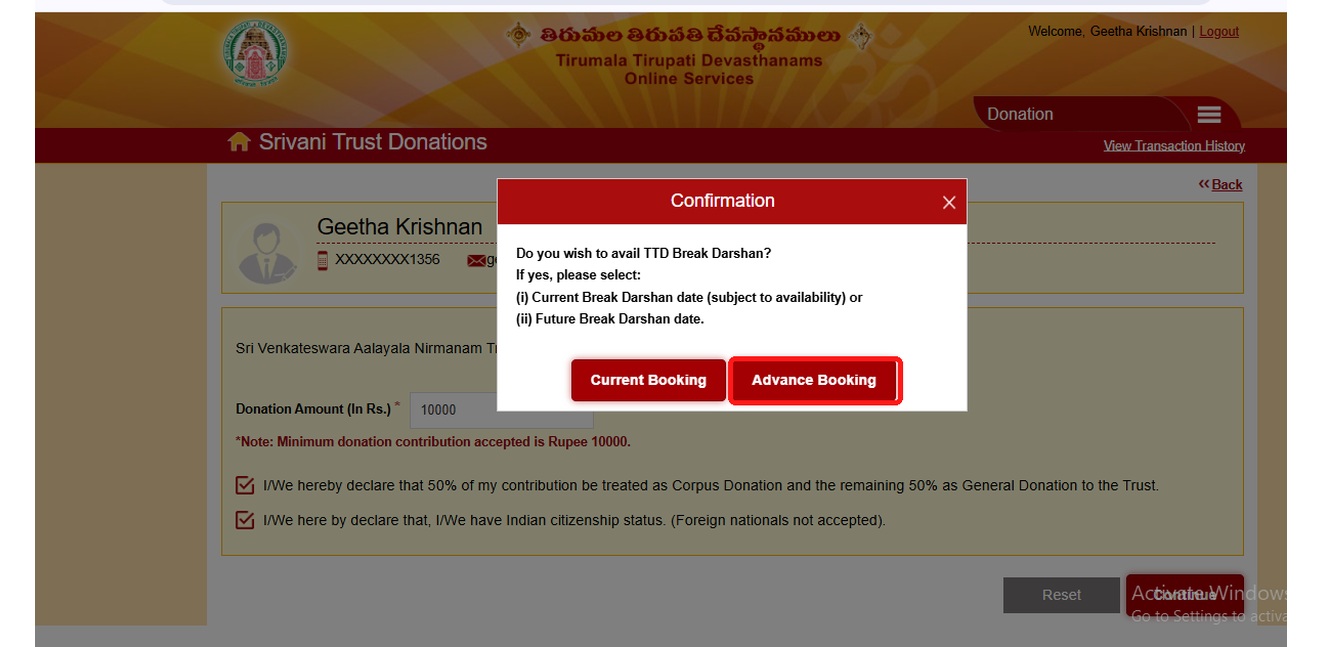
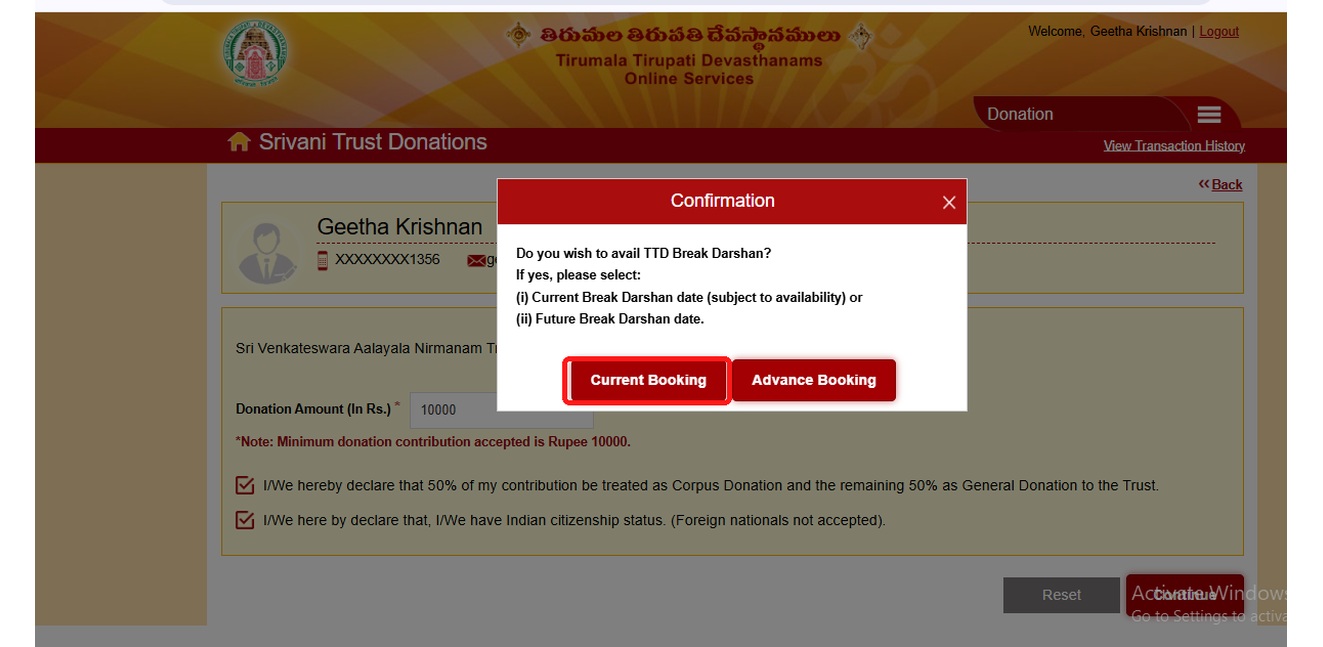
Select Your Booking Type
Click Continue and choose one of the following booking options:
- Advance Booking: Select this option to book darshan for an available future date. A maximum of 9 members may be allowed per booking, subject to the current TTD portal rules.
- Current Booking: Select this option to check ticket availability under the current-booking quota. A maximum of 4 members allowed per booking, subject to the current TTD portal rules.
07
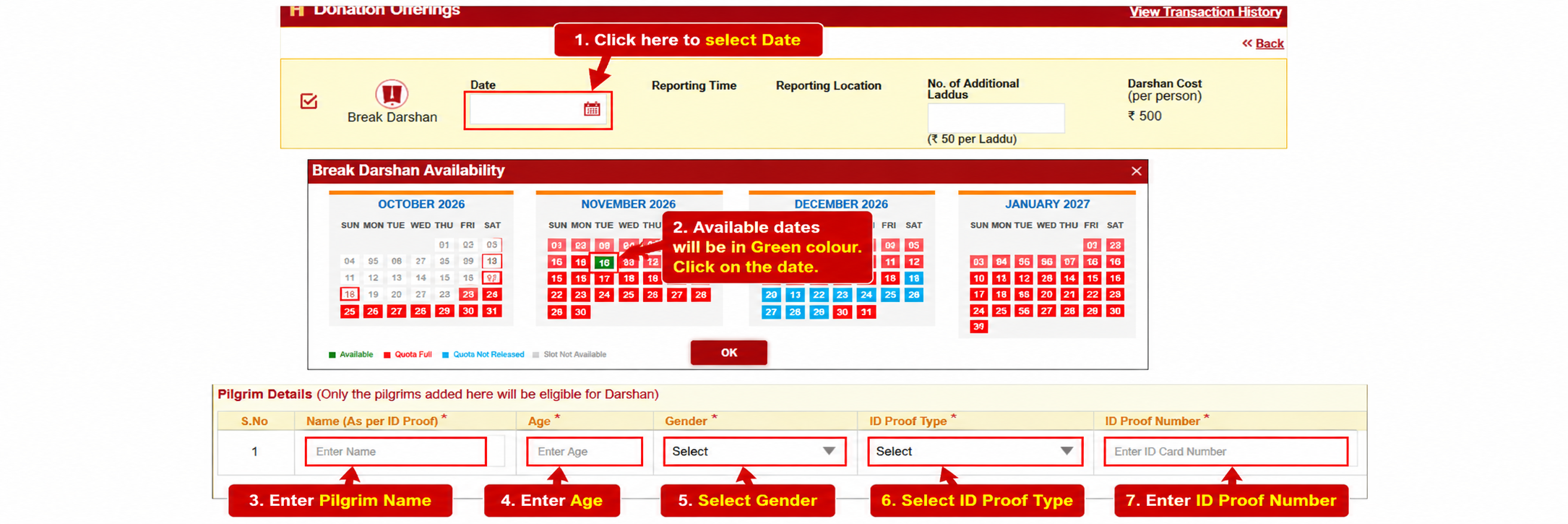
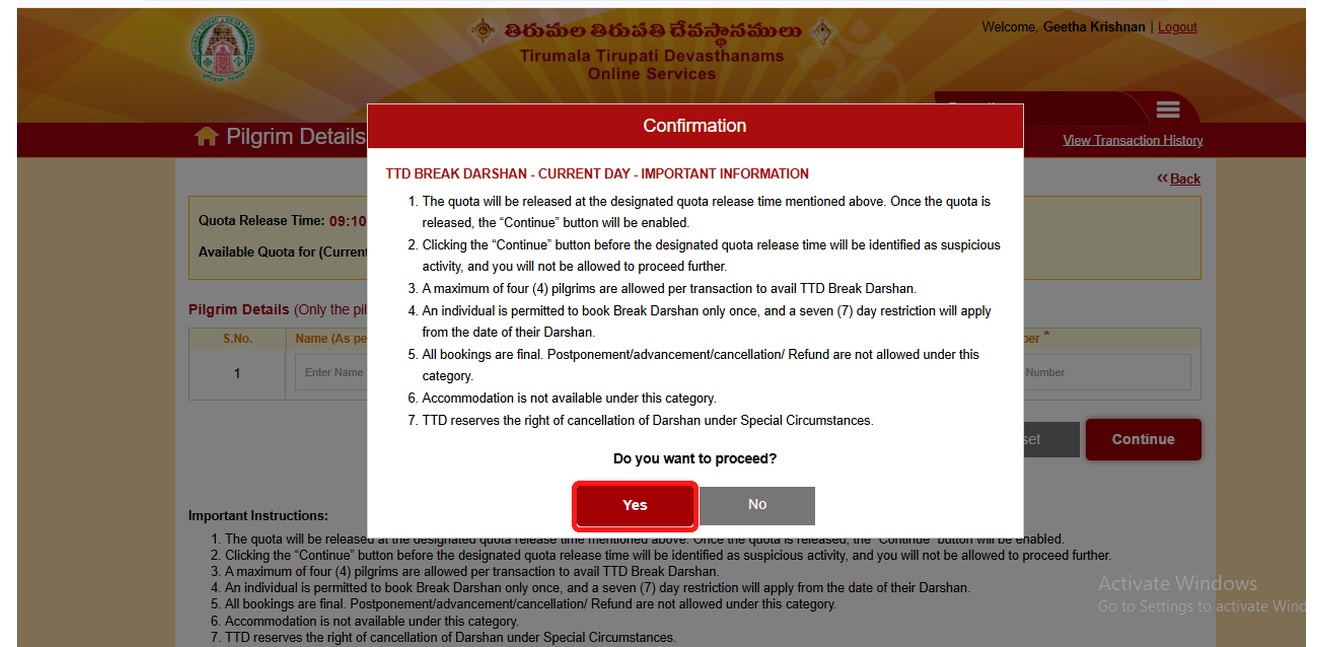
Select Break Darshan and Date
For either booking option, choose Break Darshan and select an available darshan date from the options displayed on the TTD portal. Availability depends on the selected booking type and the dates released by TTD.
08
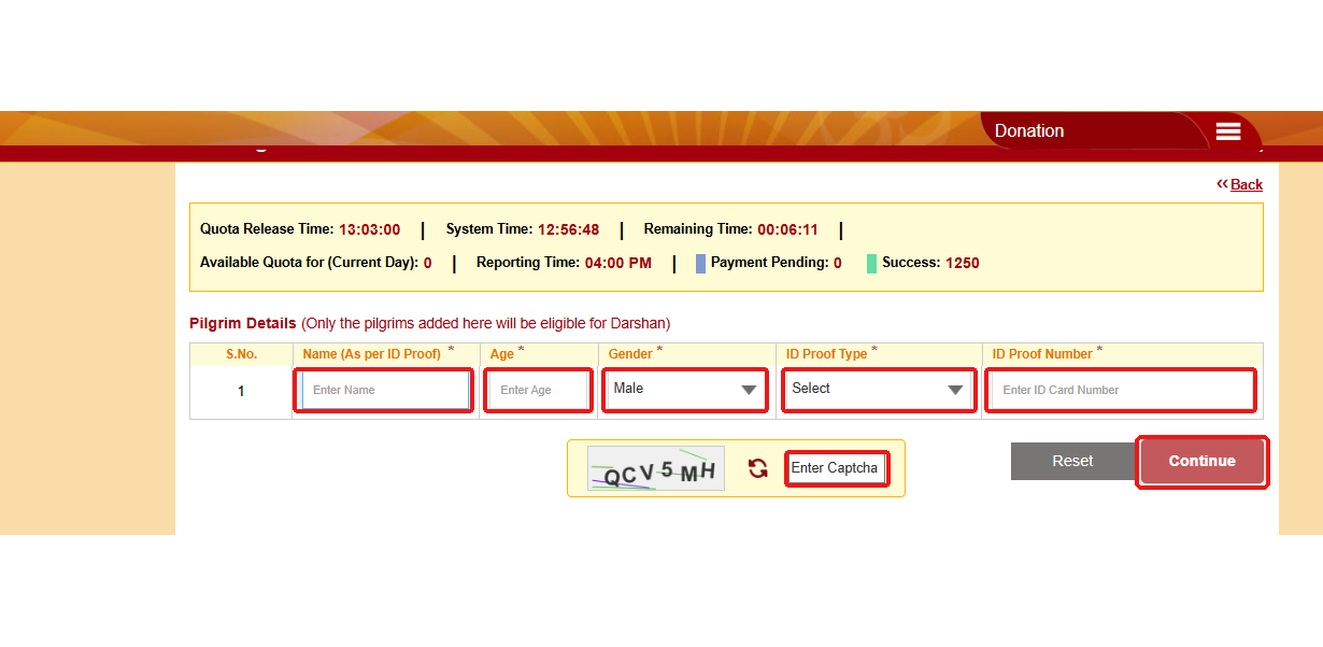
Enter Devotee Details
Fill in the required details for each devotee, including their name, age and Aadhaar information, as requested by the TTD portal. Carefully verify all details before proceeding to the next step.
09
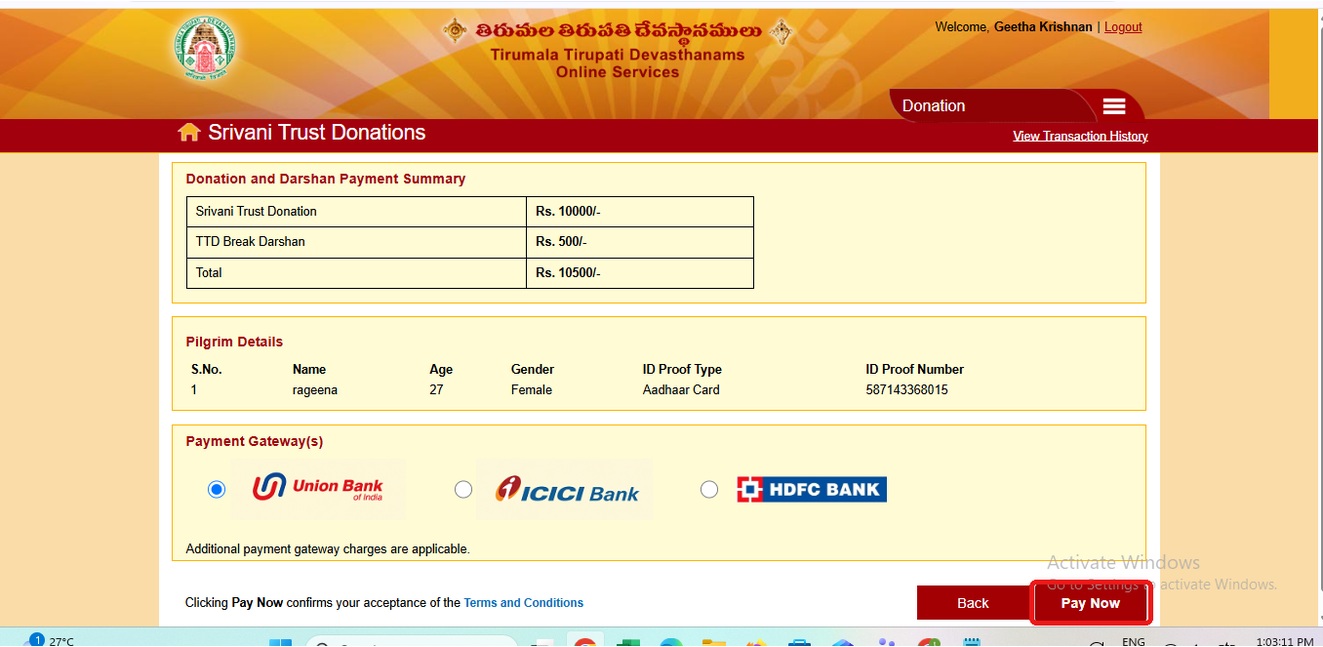
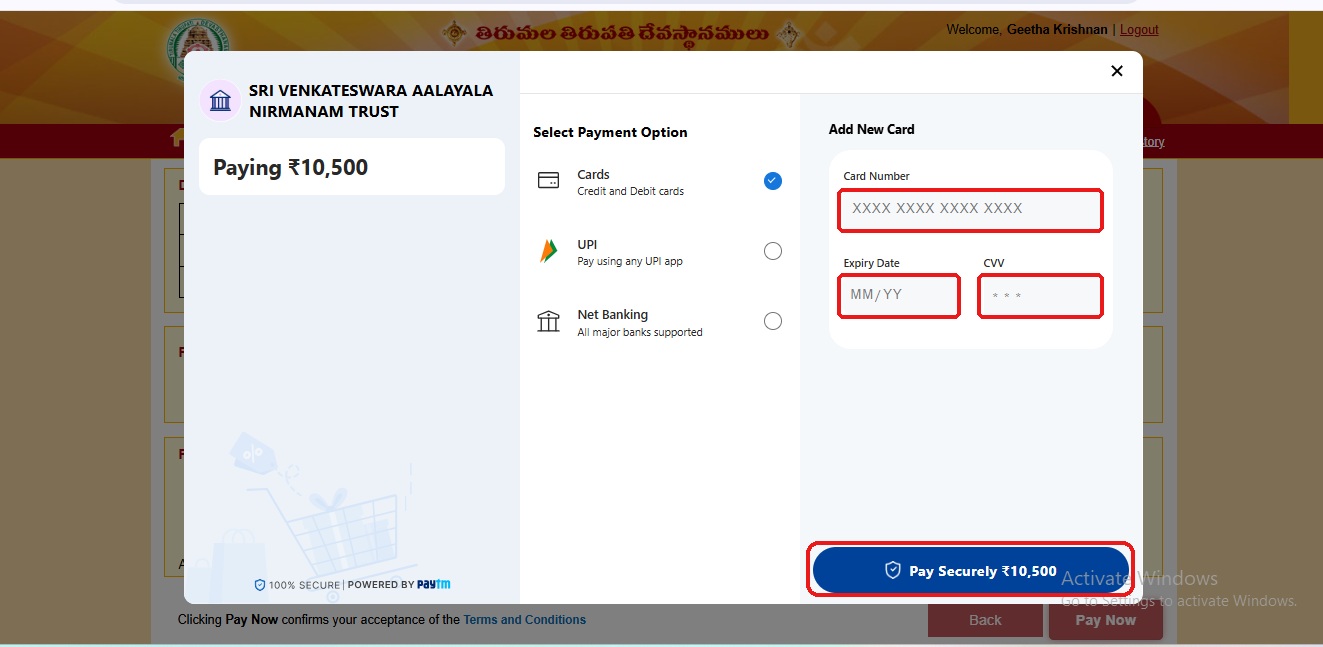
Complete Payment
Carefully review all the entered devotee details, provide the required payment information and complete the transaction using the available payment method. After successful payment, check the portal for your booking confirmation and ticket details.
10
Download Your Ticket
Once your booking is successfully confirmed, download your SRIVANI Darshan ticket and donation receipt. Carefully check the reporting time, reporting location and other instructions mentioned on your confirmed ticket before travelling to Tirumala.
📞 Contact Us for Booking
Email ID:
info@tirumalatirupatidarshan.com
Phone Number:
+91-6383089516
Address:
T. Nagar, Chennai.
Book Your Tirupati Trip Today!
Quick Darshan • Private Car • Same-Day Return
Our Tour Service and Tour Packages
Chennai City Areas

Tirupati Travels offers Chennai to Tirupati packages, VIP Break Darshan, 300 Rs Darshan booking, and temple tour packages with safe and comfortable travel.
TIRUPATI PACKAGES
Chennai-Tirupati Packages Bangalore-Tirupati Packages Srivani VIP Break Darshan Rs.300 Ticket Darshan Infant Darshan PackagesQUICK LINKS
© 2026. All Rights Reserved. Powered By Padmavathi Travels Chennai.